


If you are confused between cloudways vs hostinger cloud hosting and trying to decide which platform fits your needs, you are not alone.
I have worked with both hosting platforms, so let me help you choose the right one.
In my experience, both are great options, but they are built with different goals in mind.
In this blog, I have covered both platforms performance, pricing, security, application support, ease of use, and customer support. In the end of this guide, you will know, which hosting is perfect for your website.
Before we go deeper, here is the quick answer.
But if you prefer simplicity, lower pricing, and an easy all-in-one solution with support of multiple apps (Wordpress, NodeJs) then Hostinger is a better choice.
Feature Comparison
Lets have a quick look at the features of both platforms.
| Feature | Cloudways | Hostinger Cloud |
|---|---|---|
| Target Audience | Developers, Agencies | Beginners, SMBs |
| Ease of Use | Moderate | Very Easy |
| Web Server | NGINX + Apache | LiteSpeed |
| Caching | Redis, Varnish, Memcached | Built-in LiteSpeed Cache |
| Cloud Providers | DO, AWS, GCP, Vultr, Linode | Hostinger Infrastructure |
| Root Access | No | No |
| Node.js Support | Limited | Yes |
| PHP App Support | Excellent | Good |
| Staging Environment | Yes | No |
| Security Stack | Imunify360 + Cloudflare | SSL, Firewall, 2FA |
| Starting Price | $11/mo | $6.99/mo |
| Pricing Model | Pay-as-you-go | Fixed Plans |
| Support Rating | 9.3/10 | 8.8/10 |
| 24/7 Support | Live Chat + Tickets | Live Chat + AI (Kodee) |
What is Cloudways?
Cloudways is a managed cloud hosting platform built for users who want the power and scalability of cloud infrastructure without the complexity of managing servers manually.
Unlike traditional hosting providers, Cloudways does not run its own data centers. Instead, it has a management layer on top of major cloud providers such as DigitalOcean, AWS, Google Cloud, Vultr, and Linode.
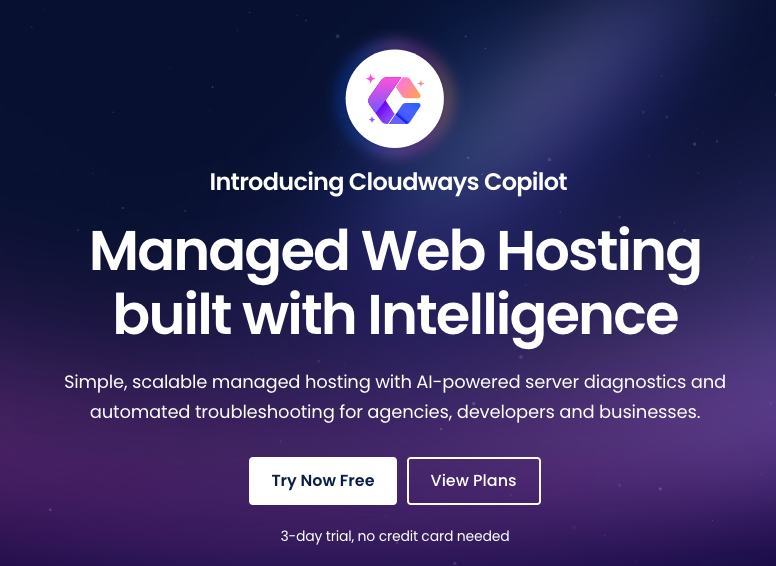
You choose the provider and server size, and Cloudways handles the rest.
Once your server is setup, Cloudways configures the full software stack, installs caching layers, handles security, enables automated backups, and sets up real-time monitoring.
Also, you will get root-level power without the manual setup.
What is Hostinger Cloud Hosting?
Hostinger cloud hosting is a managed cloud hosting plan for users who need more power than its shared hosting.
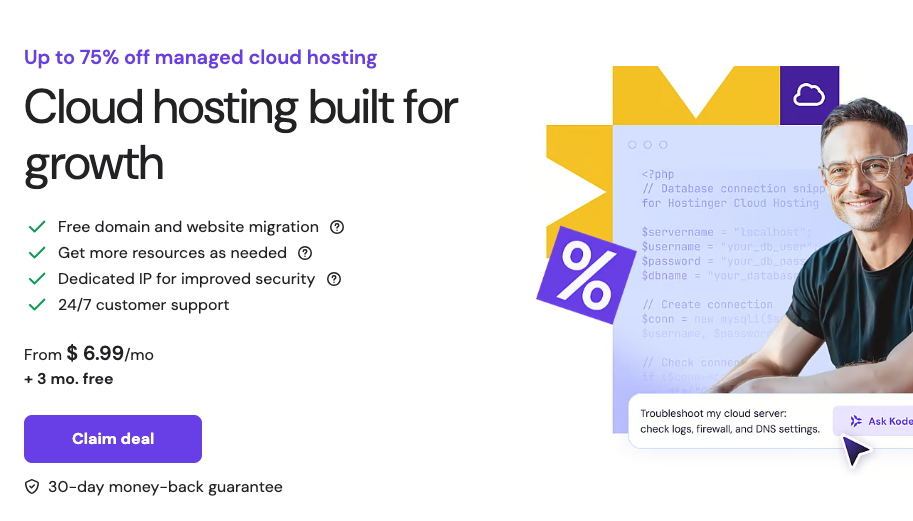
You won't get root access or full server control because it is not VPS hosting. This hosting also gives you dedicated CPU, RAM, and storage in a fully managed environment.
Everything is managed through Hostinger's custom hPanel dashboard, which is known for being one of the most beginner-friendly control panels in the industry.
You can install WordPress, manage domains, configure email, and handle backups, all in a few clicks.
This hosting is specifically built for beginners, small businesses, developers, agencies, and website owners who need better performance without dealing with server management.
Cloudways vs Hostinger
The biggest core difference between Cloudways and Hostinger is that Cloudways focuses on flexibility, while Hostinger focuses on simplicity.
With Cloudways, you can choose your cloud infrastructure provider, server size, and data center location.
You also get more control over how the server is configured and scaled. This means you have more customization and deeper control over your environment.
When you come to Hostinger, it works a little differently.
It offers predefined plans with fixed CPU, RAM, and storage. You simply choose a plan and start using it. The platform is designed to keep everything simple and ready to use.
Ease of Use
Everyone wants their hosting to be easy to use, not complicated. Especially if you are not a technical person.
In Hostinger Cloud Hosting, you just log in, choose your domain, install WordPress (or another application), and you can begin building your site within minutes.
In fact, Hostinger's hPanel dashboard is clean and easy to understand. Most settings are clearly labeled, so even beginners can use it without confusion.
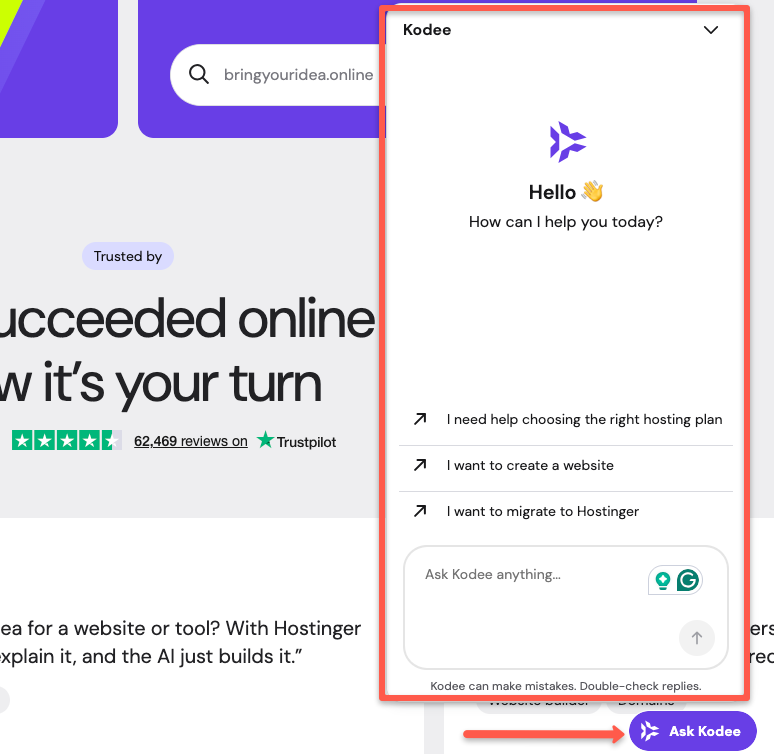
Hostinger also has an AI assistant called Kodee, which can answer common questions, guide you through setup steps, and troubleshoot issues before escalating to a live support agent.
When you look at Cloudways, it is also a managed platform, but it involves a few more decisions before you start hosting.
For example, you need to choose the cloud provider, server size, region, and application before launching.
Once your server is live, you have access to more configuration options than Hostinger offers, caching settings, PHP version management, staging environments, and team access controls.
Cloudways feels slightly more technical compared to Hostinger.
Performance and Speed
To be honest, both platforms are built for better performance.
Hostinger uses LiteSpeed web servers, which are known for fast page loading. LiteSpeed works very well with built-in caching, so most users get good speed without changing any extra settings.
Since CPU and RAM are dedicated within the plan, performance remains stable even when traffic increases.
Most performance optimizations are pre-configured, so you do not need to adjust anything manually to get good results.
Cloudways takes a more customizable approach. It is using a performance stack that includes NGINX, Apache, Redis, and advanced caching layers.
You can do deeper tuning, such as adjusting caching rules, enabling Redis, and fine-tuning settings based on your website’s needs.
This layered setup offers more tuning potential than Hostinger's LiteSpeed stack.
For high-traffic applications or WooCommerce stores with dynamic, uncacheable content, Cloudways' Redis-based object caching can provide a meaningful performance advantage.
However, realizing that advantage requires manual configuration, it does not come pre-tuned.
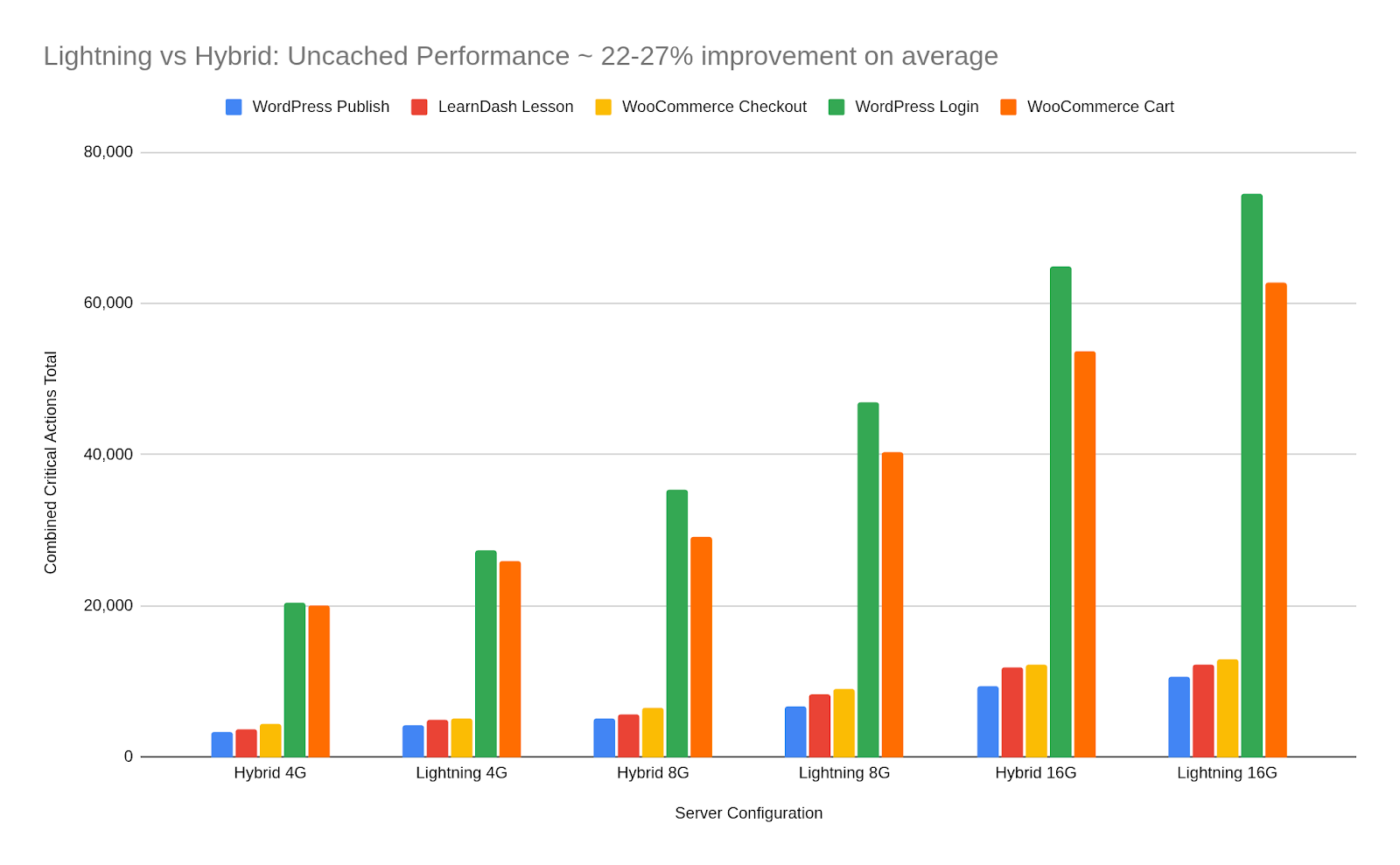
In the image below you can see the Cloudways speed and scalability performance.
Pricing Comparison
When it comes to pricing affordability, Hostinger Cloud Hosting provides a lower starting price than Cloudways.
It offers massive discounts for first-time users. Lets take a look at Hostinger’s pricing plans.
| Plan | Price | CPU Cores | RAM | Storage |
|---|---|---|---|---|
| Cloud Startup | $6.99/mo | 2 cores | 4 GB | 100 GB NVMe |
| Cloud Professional | $15.99/mo | 4 cores | 6 GB | 200 GB NVMe |
| Cloud Enterprise | $29.99/mo | 6 cores | 12 GB | 300 GB NVMe |
This is the starting fixed price. However, the renewal price is slightly higher than the introductory price because the first term comes with a discount. Renewal discounts are usually available during Black friday sales.
When it comes to Cloudways, you can choose either a Flexible or Autonomous plan depending on the cloud provider and server size you select.
The Cloudways Flexible plan is ideal for developers who need more infrastructure control.
Unlike Hostinger, Cloudways does not have a higher renewal because it follows a pay-as-you-go pricing model. Once you choose a plan, you pay based on the resources you use. If your usage increases, your billing adjusts accordingly. This is known as a pay-as-you-go payment model.
Now, lets look at the pricing plans of Cloudways. The following table has the comprehensive price listing based on the backend cloud providers used by Cloudways.
| Provider & Plan | Price | CPU Cores | RAM | Storage |
|---|---|---|---|---|
| DigitalOcean Micro | $11 | 1 | 1 GB | 25 GB |
| DigitalOcean Small | $28 | 1 | 2 GB | 50 GB |
| DigitalOcean Medium | $54 | 2 | 4 GB | 80 GB |
| DigitalOcean Large | $99 | 4 | 8 GB | 160 GB |
| Linode Micro | $14 | 1 | 1 GB | 25 GB |
| Linode Small | $28 | 1 | 2 GB | 50 GB |
| Linode Medium | $59 | 2 | 4 GB | 80 GB |
| Linode Large | $105 | 4 | 8 GB | 160 GB |
| Vultr Micro | $14 | 1 | 1 GB | 25 GB |
| Vultr Small | $28 | 1 | 2 GB | 55 GB |
| Vultr Medium | $54 | 2 | 4 GB | 80 GB |
| Vultr Large | $99 | 4 | 8 GB | 160 GB |
| AWS Micro | $20.56 | 2 | 1GB | 20 GB |
| AWS Small | $38.56 | 2 | 2 GB | 20 GB |
| AWS Medium | $91.84 | 2 | 4 GB | 20 GB |
| AWS Large | $183.22 | 2 | 8 GB | 20 GB |
| Google Cloud Small | $37.33 | Shared | 1.7 GB | 20 GB |
| Google Cloud Medium | $84 | 1 | 3.75 GB | 20 GB |
| Google Cloud Large | $152.02 | 2 | 7.5 GB | 20 GB |
| Google Cloud XL | $241.5 | 4 | 15 GB | 20 GB |
These are the starting prices for all Cloudways server providers, and you can scale your resources as your website grows.
Also, check the cloudways promo code to get discounts and reduce your cost.
Security Features
In Hostinger Cloud Hosting, you get secure HTTPS with SSL, strong firewall protection, malware detection, regular backups, and login protection like two-factor authentication, all set up for you by default.
It is especially built for beginners and small businesses who want security without technical setup.
On the other hand, Cloudways goes a step further with its security features. It uses a professional server-level security stack powered by Imunify360.
This provides strong automated protection, including advanced bot blocking, brute-force prevention, IP and country blocking, and vulnerability scanning.
You also have the option to add enterprise-level tools like Cloudflare Enterprise CDN and SafeUpdates for additional security and automation.
Both platforms provide solid default security. Cloudways offers more advanced, customizable protection suited to agencies managing multiple production sites.
Application Support
Keep this in mind before choosing Cloudways or Hostinger. One of the most important things is understanding what type of applications you plan to host.
Basically, Cloudways is mainly built for PHP-based applications. So, it comes with a pre-configured server that is optimized for performance and caching.
Some of the supported applications include WordPress, WooCommerce, Magento, Laravel, Drupal, Joomla, and other PHP-based custom applications.
And when you launch a server in Cloudways, you can choose the application type on your own. Once selected, the platform will automatically install and configure all the required software.
Let me give you an example.
If you choose WordPress, Cloudways will automatically set up an optimized stack, caching, database configuration, and basic security settings. Everything is handled for you.
But, Cloudways does not directly support Node.js hosting, where you get full root access and complete server control.
It is primarily focused on PHP-based applications. So, if your website runs on WordPress or other PHP frameworks, Cloudways is a strong choice.
On the other hand, Hostinger Cloud Hosting supports WordPress, WooCommerce, PHP websites, static websites, Node.js applications, and several other types of applications, with built-in process management through hPanel.
This makes Hostinger the better choice if your stack includes JavaScript-based backends, static site generators, or mixed PHP and Node.js workloads.
Customer Support
Hostinger is providing 24/7 live chat support for all its cloud plans. It also offers a detailed knowledge base and tutorials to help clear your doubts.
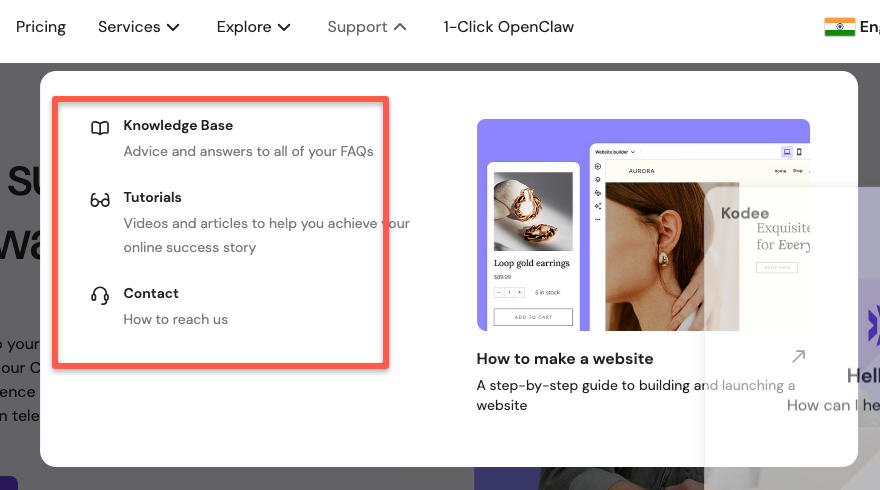
The support team assists with setup, billing, domains, email configuration, and general hosting questions that may come up while you are working.
From my experience, they usually explain things clearly without going too deep into technical details, which makes it easier for beginners.
Hostinger also has an AI assistant called Kodee. You can ask your questions or report issues with it first. If you are not satisfied with the response, you can contact the support team directly.
Cloudways also offers 24/7 support through live chat, knowledge base, and tickets.
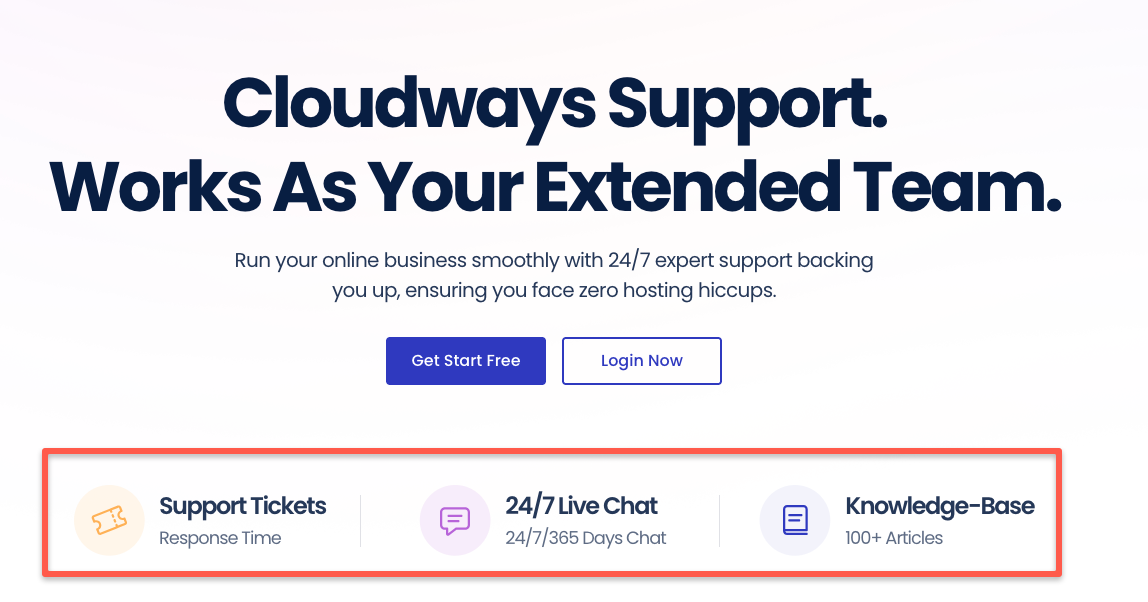
Since Cloudways is built around cloud infrastructure, the support team focuses more on server-level topics. They assist with performance tuning, scaling issues, caching, and cloud configuration.
For example,
One issue I noticed with my Cloudways hosting was that when I updated WordPress plugins, some content disappeared from the site.
It turned out to be a caching issue. The content was still available in the page editor, but I had to republish it.
I reported this issue to the Cloudways support team, and they provided clear guidance and helped resolve it quickly.
So, both Hosting's customer support is really good and fast.
But wait.
Based on many real user reviews, Cloudways has received a rating of 9.3/10, while Hostinger has received 8.8/10.
This shows that users are slightly more satisfied with Cloudways in terms of support and overall platform capabilities.
Which platform is better for beginners?
For most of the beginners, Hostinger Cloud Hosting feels easier from the first login.
The signup process is simple, and the setup does not ask technical questions about infrastructure or cloud providers.
You choose your plan, connect your domain, and install WordPress in a few clicks. Most features are clearly labeled, and common tasks like backups, SSL activation, and email setup are handled in one place.
You do not need to understand what type of server you are using or how the cloud works. Everything is provided as a ready-to-use hosting environment.
Which platform is best for Agencies and Developers?
Agencies and developers often manage multiple projects, so Cloudways can be a better choice because it offers more flexibility.
You can launch multiple servers under a single account and choose different cloud providers based on each client’s needs. This makes it easier to separate projects and scale them independently.
Cloudways also supports staging environments, allowing you to test changes before pushing them live. For agencies managing client websites, this reduces risk and improves workflow.
Also, it provides deeper control over caching, server settings, and performance tools.
Cloudways also integrates well with CI/CD pipelines and supports SSH access, Git deployment, and WP-CLI for WordPress automation.
Conclusion
In this blog, I have explained which cloud hosting platform may be better for you, Cloudways or Hostinger. There is no single winner here.
Here is a simple way to decide.
If you want more flexibility, such as choosing your own cloud provider, PHP-heavy stack, scaling resources as your site grows, and fine-tuning performance when needed, then Cloudways is a better option.
If you prefer a simple, Node.js support, ready-to-use setup without worrying about configuration, then Hostinger is the better choice.
Honestly, both platforms are powerful and can handle traffic well. The right decision depends on which one makes your work easier and more comfortable.
Helpful Guides: