


Looking for an ElevenLabs review? You are in the right place. My team and I have been using ElevenLabs for our content creation work for quite some time, and I decided to write a detailed review based on my real experience.
In this review, I will cover ElevenLabs features, pricing, and who it is best suited for.
By the end of this review, you will understand why many creators consider ElevenLabs as one of the best content creation tools going into 2026.
What is ElevenLabs?
ElevenLabs is an AI tool that converts text into realistic, human-like speech. You simply paste your text, choose a voice, and it generates audio that sounds natural, clear, and easy to listen to.
Unlike many text-to-speech tools, ElevenLabs avoids the robotic tone that often sounds unnatural. Because of this, it is widely used to create natural-sounding voiceovers for digital content.
One of the most common use cases is YouTube videos and short-form Instagram Reels.
The key reason for ElevenLabs’ popularity is its voice quality. I noticed that the speech feels natural, expressive, and consistent, which makes it suitable for YouTube videos, audiobooks, podcasts, and more.
At DevOpsCube, our team actively uses ElevenLabs to generate voiceovers for the DevOpsCube YouTube channel and Instagram Reels, where clear pronunciation and a professional tone are important. It works well for our technical content, including complex terms and explanations.
ElevenLabs is also used for audiobooks, narration, explainer videos, text-to-speech, and similar purposes. At the same time, it is not suitable for live conversations or real-time voice interactions.
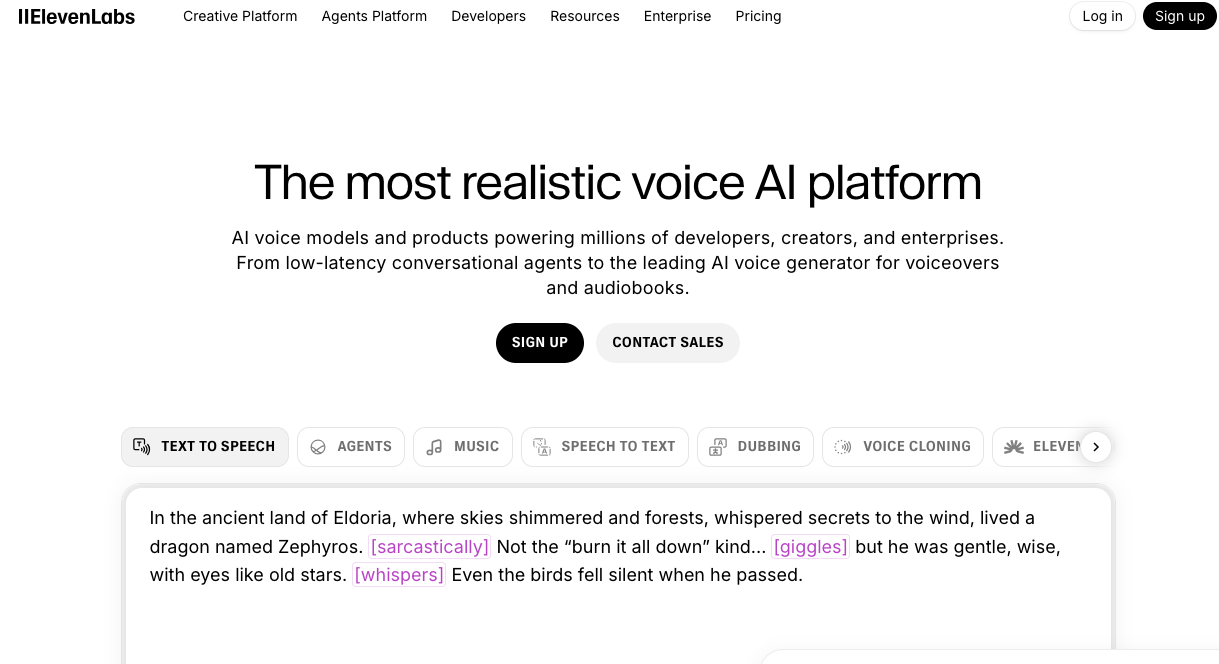
Now that you have a high-level idea of the platform, let me walk you through its key features.
ElevenLabs Key Features
Lets look into the features of ElevenLabs that make it one of the best voice- generating tools.
1. Text-to-Speech
ElevenLabs offers many high-quality voices that can generate speech within minutes. You can use default voices or your own cloned voice during generation.
This feature is useful for both short-form and long-form content on platforms like YouTube, Instagram, TikTok, and more.
2. Voice Cloning
Voice cloning is one of the best and most popular features of ElevenLabs. Many creators choose Elevenlabs for this feature.
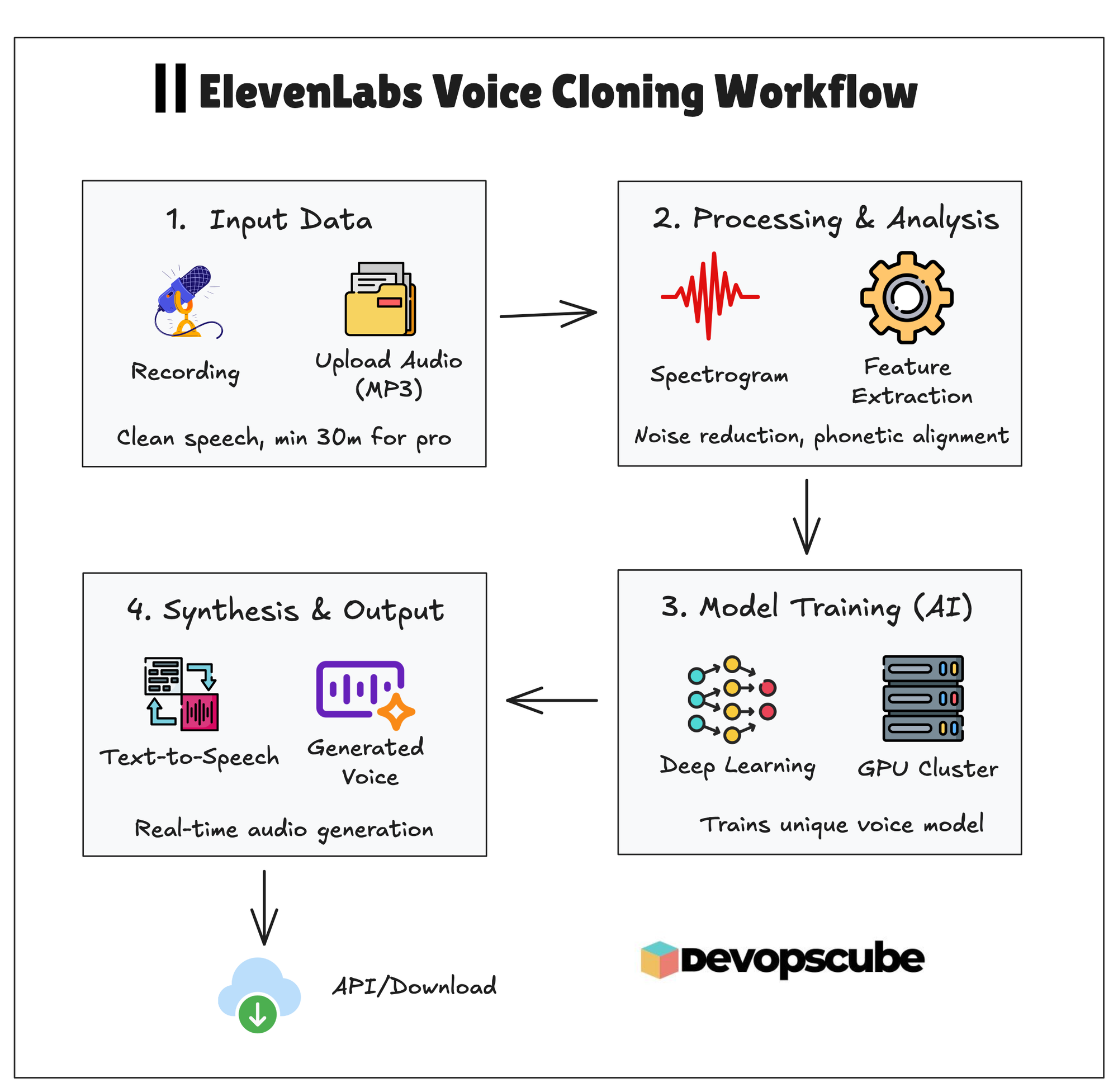
Here is how it works.
There are two types of Voice cloning: IVC and PVC.
Instant Voice Cloning (IVC) creates a voice clone using about one minute of audio samples, but the result may not sound exactly like your real voice.
If you want a more accurate clone, you should use Professional Voice Cloning (PVC).
With PVC, you train the ElevenLabs model using your own voice samples. It can then generate speech that closely matches your real voice. This is especially useful for content creators who want to scale content production without recording their voice for every piece of content.
We are actively using this feature, and we are very happy with the results.
The following image illustrated the tech details of the voice cloning workflow.
3. Multilanguage Voice Support
You can generate speech in multiple languages, which is useful if you target a global audience. The accent and tone remain consistent with the original voice.
The language library has expanded from 32 to over 70+ languages.
4. Sound Effects
The sound effects section allows you to search for and download sound effects that can be added to your content.
5. Voice Isolator
Voice Isolator removes unwanted background noise from recordings.
For example, if you are recording audio in a noisy place and want to remove that background noise to get a quality audio, then this feature will be very helpful.
6. Voice Stability Control
You can control voice stability based on your needs. Higher stability keeps the voice consistent, while lower stability adds emotion and variation. This helps make the audio sound more natural and expressive.
7. API Access
ElevenLabs provides API access for developers who want to generate speech programmatically. This is useful for apps, websites, games, and automation workflows. But, heavy usage can become expensive over time.
Also, developers can use the Flash v2.5 model, which now offers ultra-low latency of around 75 ms. This makes it fast and well-suited for real-time assistants and gaming.
8. Emotional Audio Tags
Emotional audio tags in ElevenLabs help you control how a voice sounds, not just what it says.
By using simple tags like excited, sad, angry, or calm, and you can guide the AI to deliver speech with the right emotion and tone.
Actually, this is very helpful for our video production.
So, instead of re-recording audio or manually adjusting it, you just add the emotion directly in the text.
For example, the same sentence can sound confident, friendly, serious, or emotional just by changing the tag.
This saves you a lot of time and helps you produce more engaging voiceovers without multiple recordings.
If you want to know more details about the features, then take a look here.
Is ElevenLabs Voice Quality Good?
Now the million dollar question. Is ElevenLabs Voice Quality worth the subscription?
This is the main question most people have before buying ElevenLabs.
We had the same doubts as you, so we decided to try it out. We used the PVC (Professional Voice Cloning) option and trained our own voice model using around two hours of recorded audio.
The results were great, and the generated voice sounds almost identical to the original recordings.
If you want proof, play the audio below. It was generated by ElevenLabs using our trained voice model.
I hope you got your answer after listening to the audio. You can improve the quality even more by training ElevenLabs with additional voice samples.
The pronunciation, pitch, and tone are almost perfect, even for technical terms. This is one of the main reasons it works so well for DevOpsCube videos.
That said, no AI tool is 100% perfect. In the beginning, it did mispronounce a few words for us. We fixed this by training the model with more voice data, and the results are now excellent.
If you are still not convinced, leave a comment and we will share more real audio samples from our trained model.
Pros and Cons of ElevenLabs
Lets look into the pros and cons that I analysed while using it.
Pros
- The voice quality is realistic and human-like.
- There are many voice options with different accents and languages.
- Voice cloning works very well.
- The platform is beginner-friendly and easy to use.
- It is cheaper than hiring a professional voice artist.
- API support allows easy integration into apps and tools.
Cons
- Higher-tier plans are expensive.
- There are credit limitations.
- Some pronunciations may need manual correction.
My ElevenLabs Review
I mostly use ElevenLabs to generate voiceovers for DevOpsCube YouTube videos and Reels, and the experience has been very good so far.
The voice sounds clear, natural, and professional, which works well for educational and technical content. Most people cannot tell that the audio is AI-generated.
We even shared the generated audio with our close circle, and no one identified it as AI.
The text-to-speech feature works well for both short and long scripts. Pronunciation is mostly accurate, including technical terms, though a few words may need small adjustments.
On the downside, the editing options are basic, and the pricing can feel high if you generate large volumes of audio.
Overall, ElevenLabs is a solid choice if you want clean and natural-sounding voiceovers.
ElevenLabs Pricing
The following table shows the current ElevenLabs Pricing plans for monthly and annual costs.
| Plan | Monthly Price | Annual Price (Billed Yearly) |
|---|---|---|
| Free | $0 | $0 |
| Starter | $5 / month | $48 / year |
| Creator | $11 / month | $108 / year |
| Pro | $99 / month | $1,068 / year |
- Starter is suitable for beginners and includes a commercial license, instant voice cloning, and 30,000 credits per month.
- Creator is ideal for creators who post content regularly and includes professional voice cloning with 100,000 credits per month.
- Pro is designed for heavy users producing long-form content and offers 500,000 credits per month.
The truth is, even with paid plans, there are limits on how many words you can generate in standard mode. For longer projects, ElevenLabs recommends using its Studio feature.
Elevenlabs Trend Data
I was interested to know how ElevenLabs is being used in enterprise and how it is doing as a company.
Here are some interesting facts I found.
- According to ElevenLabs, their technology is used by 41% of Fortune 500 companies in 2026.
- Based on multiple reports, ElevenLab has crossed $330 million in annual recurring revenue.
- ElevenLabs is highlighted as one of the most promising AI companies, which features on the Forbes AI 50 list.
- It received around 45 million visits in a recent months, showing the strong demand and growing popularity of ElevenLabs.
FAQs
Here are some of the frequently asked questions about ElevenLabs when I discuss about it in the community.
1. Is ElevenLabs free?
Yes, ElevenLabs offers a free plan with 2,500 credits per month, but it does not include a commercial license.
2. Can ElevenLabs clone my voice?
Yes, you can clone your voice by training the model with voice samples. More training data improves accuracy.
3. Is the ElevenLabs API free?
The API is available on the free plan, but usage is limited by credits. Once credits are run out, you need to upgrade.
4. How much is ElevenLabs?
The Starter plan costs $5 per month, the Creator costs $11 per month, and the Pro costs $99 per month.
5. Is ElevenLabs the best text-to-speech tool?
Yes, it is one of the top text to speech tool. Many creators are using it and recommending other creators to use it to save a lot of time.
6 Is ElevenLabs creator plan worth it?
Yes, it is worth it, if you are a creator who is consistently posting videos on YouTube, Instagram reels, and other platforms. At DevOpsCube, we are also using the Creator plan, and we strongly recommend it.
7. Is ElevenLabs Generative AI?
Yes, it is a highly advanced generative AI system that generates audio from text.
Conclusion
In this review, I have explained and provided my user review of ElevenLabs, along with its features, pricing, and limitations. I hope this helps you decide whether it fits your needs.
If you can afford the subscription, I recommend ElevenLabs to creators who need high-quality voiceovers and want to save time.
For our team, choosing this tool has been a good decision to scale our content production and creating technical tutorial videos.
Over to you!
Are you using any text-to-speech tools?
Are you planning to use Elevenlabs for your projects?
Do let us know in the comments.